
 +1 (213) 715-5368
Vedanshi
2026-10-23
7 min read
Custom HubSpot Integrations: Benefits, Examples, and Best Practices
Your business uses HubSpot to manage customer relationships, but disconnected systems create data issues.
Read More
Published On:2026-08-05
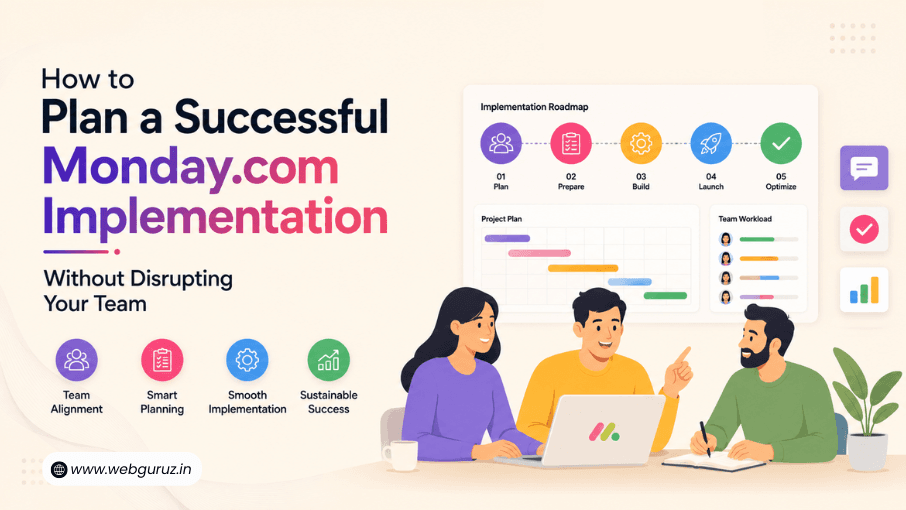
Bringing a new work management platform into your business is exciting. It promises better visibility, smoother collaboration, and less manual work. But for many companies, the real challenge begins after they buy the software. Teams resist change, data gets misplaced, and daily work slows down.A successful Monday.com Implementation is about much more than creating boards and inviting users. It requires a clear plan that helps your team adapt without interrupting the work that keeps your business moving.
Whether you’re replacing spreadsheets, moving from another project management tool, or setting up a CRM, careful planning can make all the difference.In this guide, we’ll walk through the key steps that help businesses implement monday.com the right way while keeping employees productive from day one.
Before you begin setting up monday.com, take a step back and identify what you want to achieve. Are you trying to improve project tracking, organize sales data, reduce manual work, or make reporting easier? Having clear goals helps you build workflows that solve real business problems instead of adding unnecessary complexity.
Once you’ve mapped your processes, avoid rolling out the platform across the entire organization at once. Start with one team or one business function, such as marketing, client onboarding, or sales. A smaller pilot gives employees time to get comfortable with the platform, provides valuable feedback, and helps you fine-tune workflows before expanding company-wide. This phased approach minimizes disruption and makes the transition much smoother for everyone involved.
This careful approach is more important than many businesses realize. According to Gartner, around 70% of digital transformation initiatives fall short of their goals, often because organizations focus on technology before people and processes. Planning your rollout, involving employees early, and introducing changes gradually can significantly improve adoption and long-term success.
Before you move forward, use this simple roadmap to make sure your implementation covers every essential stage.
| Stage | What to Do | Why It Matters |
|---|---|---|
| Define Goals | Identify the business problems you want to solve. | Keeps the implementation focused on business outcomes. |
| Map Existing Processes | Review current workflows before building new ones. | Prevents unnecessary complexity and rework. |
| Start Small | Launch with one team or department first. | Reduces disruption and allows for feedback. |
| Prepare Data | Remove duplicate and outdated records. | Improves reporting accuracy and user trust. |
| Train Employees | Provide role-specific onboarding and support. | Increases adoption and confidence. |
| Optimize Regularly | Review workflows and gather feedback. | Ensures the platform continues to meet business needs. |

Even the most powerful platform can fail if people don’t know how to use it.
Many companies focus heavily on setup but spend very little time helping employees understand why the new system matters. As a result, teams often return to spreadsheets, emails, or old habits within a few weeks.
Professional Monday.com Onboarding Services help employees become comfortable with the platform through structured training, practical examples, and role-specific guidance.
Instead of overwhelming everyone with every feature, focus on teaching employees only what they need for their daily work. This makes learning faster and increases adoption across the organization.
Good onboarding is not a one-day event. Continue offering learning sessions, documentation, and opportunities for employees to ask questions as your workspace evolves.
The best workflows fit your business, not the other way around. While monday.com offers plenty of customization options, avoid adding unnecessary approval steps, extra status columns, or complex automations that your team doesn’t need.
Instead, focus on the essentials. Ask yourself:
Simple workflows are easier for teams to adopt and maintain. As employees become more comfortable with the platform, you can gradually introduce advanced features. The goal isn’t to use every capability available; it’s to make everyday work faster, clearer, and more efficient.
Every business has unique processes, reporting needs, and growth plans. That’s why many organizations benefit from working with Monday.com Consulting Services rather than relying only on self-service tutorials.
Experienced consultants begin by understanding your business instead of immediately configuring the software.
They help with:
This strategic approach reduces costly redesigns later and ensures the platform continues supporting your business as it grows.
Consultants can also identify opportunities to automate repetitive tasks that internal teams may overlook because they’re focused on day-to-day operations.
Every business operates differently. A manufacturing company, marketing agency, or SaaS provider will rarely use the same workflows. That’s why experienced implementation partners begin by understanding how your teams already work before configuring the platform.
This business-first approach results in higher adoption, better reporting, and workflows that continue delivering value as your organization grows.
A successful implementation starts with clean data. If you import duplicate records, outdated information, or incomplete tasks into your new workspace, those issues will only become harder to fix later.
Before migrating your data:
Cleaning your data improves reporting accuracy, makes the platform easier to use, and gives your team greater confidence in the new system from day one.
For businesses managing customer relationships, monday.com offers more than project tracking. Its CRM capabilities allow teams to organize leads, monitor sales activities, automate follow-ups, and improve collaboration between marketing and sales.
A well-planned Monday.com Sales CRM setup creates a single source of truth where every interaction is easy to find.
Instead of switching between multiple tools, teams can:
This not only improves productivity but also helps leadership make better decisions based on reliable, centralized data.

Introducing a new platform shouldn’t mean asking employees to abandon every tool they rely on. The best implementations fit naturally into your existing technology stack.
This is where Monday.com PMO Integrations become valuable. By connecting monday.com with tools your teams already use, information flows automatically between systems, reducing manual work and improving visibility.
Depending on your business, you may choose to integrate monday.com with:
When systems share information automatically, teams spend less time updating records and more time focusing on meaningful work. More importantly, managers gain access to accurate, real-time reporting without chasing updates from multiple departments.
Launching your workspace is only the beginning. The real success of an implementation depends on how well your team adopts it. Ask questions like:
Review these metrics during the first few months and use employee feedback to improve workflows. Small adjustments can significantly boost long-term adoption.
If your business has complex processes or multiple departments, working with experienced Monday.com consultants can make the journey much smoother. They help design scalable workflows, avoid common setup mistakes, and ensure your workspace continues to support your business as it grows.
As your business grows, your workspace often becomes more complex. You may need advanced automations, custom dashboards, integrations, or department-specific workflows that require deeper platform knowledge.
That’s when it makes sense to seek Monday.com Experts.
An experienced implementation partner can help you:
Instead of guessing what might work, experts build solutions around your business goals, helping you see value from the platform much faster.
The right partner also continues supporting your team after launch, ensuring the workspace evolves as your business changes.

Anyone can create a board, but designing a workspace that supports an entire business requires experience.
Certified Monday.com Experts understand the platform’s capabilities, implementation best practices, and common challenges businesses face during adoption. They know how to balance automation, usability, and scalability without making workflows overly complicated.
Working with certified professionals also reduces the risk of expensive redesigns later. Instead of rebuilding your workspace every few months, you start with a structure that’s built for long-term success.
For growing businesses, this means less downtime, better reporting, and a smoother experience for every team member.
Implementing a work management platform is not just about getting the software up and running. It’s about building a system that supports your business as it grows. Working with a certified partner gives you access to proven implementation practices, platform expertise, and ongoing support that goes beyond the initial setup.
A trusted Monday.com Solutions Partner can help you customize workflows, automate repetitive tasks, connect third-party applications, and ensure every department gets the most out of the platform. Instead of using a one-size-fits-all approach, they tailor the workspace to match your unique business processes.
If your organization manages multiple projects, portfolios, or enterprise-level operations, choosing a Monday.com PMO Solutions Partner can provide even greater value. These specialists understand how to build standardized project management frameworks, improve reporting, and create dashboards that give leadership complete visibility into project performance.
The right implementation partner doesn’t just help you launch faster; they help your business continue improving long after the platform goes live.
/span>
A successful Monday.com Implementation is never just about configuring software. It’s about helping people work better without disrupting the routines that keep your business running.
When you begin with clear goals, introduce changes gradually, invest in proper training, clean your data, and optimize workflows over time, your team is far more likely to embrace the platform instead of resisting it.
Whether you’re setting up project management workflows, building a CRM, or connecting multiple business systems, careful planning lays the foundation for long-term success. And if you need guidance along the way, working with experienced professionals can help you avoid costly mistakes and get the most value from your investment.
The timeline depends on the size of your business and the complexity of your workflows. A simple setup may take a few days, while larger organizations with multiple departments, integrations, and custom automations may require several weeks. Planning before implementation helps speed up the process.
Onboarding helps employees understand how to use the platform confidently. Without proper training, teams may continue using old tools like spreadsheets or emails, reducing the value of the new system.
Yes. monday.com includes CRM capabilities that allow businesses to manage leads, track customer interactions, automate follow-ups, and monitor sales pipelines. It can also integrate with other business tools to create a connected workflow.
If your workflows are straightforward, you may be able to set up the platform yourself. However, businesses with multiple teams, custom processes, or integration requirements often save time and money by working with experienced implementation specialists.
Success isn’t measured by how quickly the software is installed. It’s measured by how well your team adopts it. If employees actively use the platform, reporting becomes easier, manual work decreases, and collaboration improves, your implementation is delivering value.

Vedanshi
2026-10-23
7 min read
Your business uses HubSpot to manage customer relationships, but disconnected systems create data issues.
Read More
Vedanshi
2026-10-22
7 min read
Ask ChatGPT, Gemini, or Perplexity to recommend a supplier or a software tool, and you get a short list of names, not ten blue links.
Read More
Vedanshi
2026-10-21
7 min read
Building a website takes more than picking colors, dropping in images, and writing copy.
Read More